The new search engine, introduced in beorg 3.39.0, gives you a much more expressive syntax for finding what you need. Not only is it a more powerful syntax, but beorg now gives you the results almost instantly - even when you have hundreds of .org files.
I’ve upgraded all of my saved searches to use the new syntax. This article provides a quick rundown of my searches, and may give you some ideas.
🚀 You get two saved searches for free in beorg. For unlimited saved searches upgrade to beorg Premium, or purchase the “Saved Searches” extension.
In beorg there are different saved searches for the Agenda and Tasks tab. Here I’m only going to talk about the searches I use on the Tasks tab.
You can read more about this new search syntax in the beorg user guide.
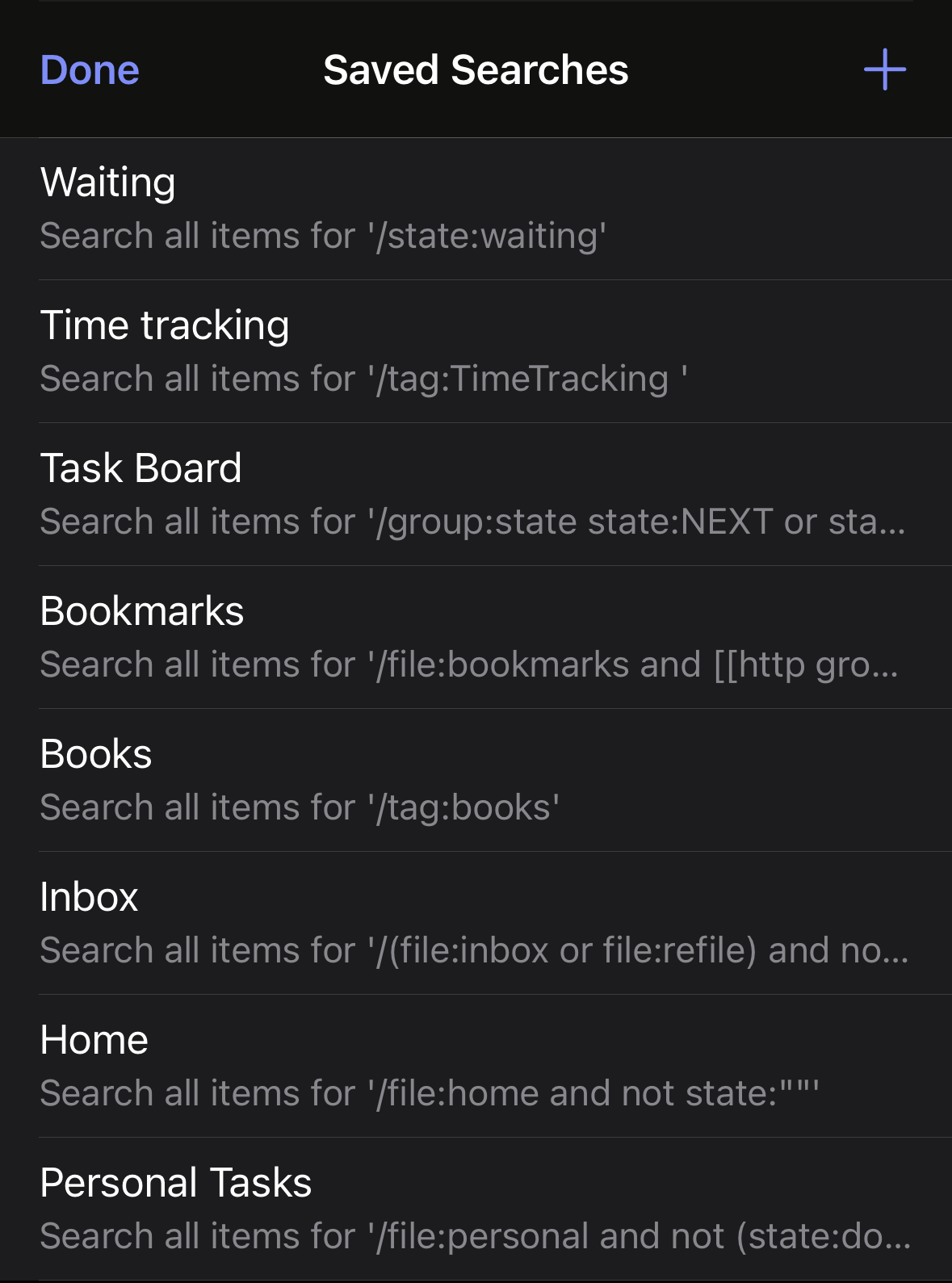
Waiting
/state:waiting
This is a very simple search that just shows all tasks with the state WAITING, and uses the default sort and grouping.
All searches in this article start with a
/so beorg knows you are using the new syntax. The search syntax is case-insensitive.
Time tracking
/tag:TimeTracking
Similar to above, this search looks at one property only - any items with the tag TimeTracking.
Task Board
/group:state order:>file state:NEXT or state:IN-PROGRESS or state:WAITING
Here is a slightly more complicated search. Let’s break it down:
group:state- group the results by state, i.e. all items with aTODOstate will be in one group, all with aDONEstate in another group.order:>file- this will order the results, within each group, alphabetically by filename - so that items in the same file will appear together.state:NEXT OR state:IN-PROGRESS OR state:WAITING- an item must have one of the following states -NEXT,IN-PROGRESS,WAITING
Note that there are no boolean operators between group, order and the first state.
Bookmarks
/file:bookmarks and [[http group:tag
This search looks only in the file bookmarks.org and picks out those items which have the text [[http in the headline or notes. The results are grouped by tag. If an item has multiple tags, it will appear multiple times - once under each tag.
Books
/tag:books
Need I say more?
Home
/file:home AND NOT state:""
The interesting thing about this search is that state:"" matches items with no state, so adding NOT means this search only matches items that do have a state.
Personal Tasks
/file:personal AND NOT (state:done OR state:cancelled)
This search uses parentheses to group the possible states that should be excluded.
I hope this has given you some ideas for your own searches. Saved searches in beorg are a great way to quickly filter information across all of your .org files. 👋